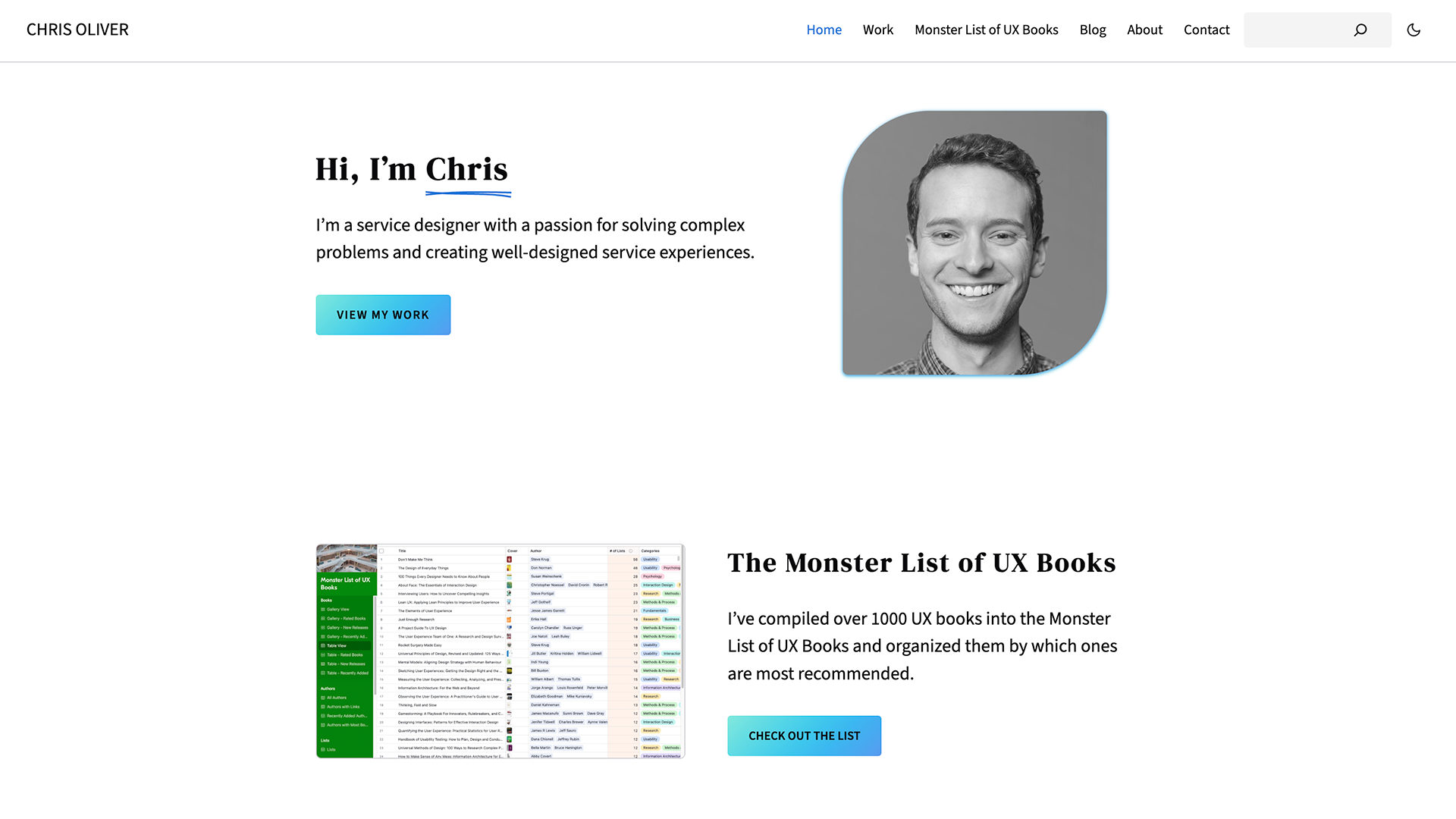
When I first created a website for my UX portfolio 10 years ago (that number can’t be right; it’s way too high), I decided to use Adobe Portfolio since I was already paying for Creative Cloud. Since then, I’ve found a variety of reasons to want to move away from Portfolio. It has limited text formatting options (it doesn’t even support bulleted or numbered lists). It also allows surprisingly few design customizations for themes. For example, the text for my site was microscopic on mobile, and there was no way I could adjust it to make it readable.
When I created the Monster List of UX Books, I started making posts on Medium about updates to the list. But then I wanted to start publishing those posts on my own site (I wanted to do the whole IndieWeb thing before I knew what IndieWeb was). While I could copy the posts to my site as pages, Adobe Portfolio has no blogging feature, so there was no way for anyone to follow those updates.
Adobe has also been steadily increasing the cost of Creative Cloud. After the latest price hike, I decided it was time to move my site elsewhere. (And after 10 years, it was probably time for a redesign anyway.)
I chose WordPress for several reasons. It’s free. Hosting is cheap. If I don’t like my web host, I can easily move to another one. I can finally publish Monster List updates as blog posts with an RSS feed. And the WordPress ActivityPub plugin allows people to follow my posts from fediverse platforms. (More on RSS feeds and ActivityPub below)
After spending some time learning to use WordPress, I prioritized:
- moving all the existing content from my old site and Medium to the new site
- writing some new case studies
- customizing a theme until it was good enough (including making text readable on mobile)
- quietly launching the new site a few months ago
Since then, I’ve been gradually enhancing my new site. I’ve continued to refine the theme, and I added new content to several pages:
- The home page now promotes the Monster List.
- The Monster List page now explains a little more about the list and links to a video tour and forms for improving the list.
- The About page now includes a lightweight version of my résumé with links to relevant case studies.
I’ve also added two new pages
- Resources: I’ve collected a lot of design resources over the years, both personally and for guides I’ve had to create for others at work. People also often ask me for book recommendations (since, you know, the whole Monster List thing). I decided to create a page to collect all my recommended resources in one place that I can easily share.
-
Uses: Inspired by Sophie Koonin’s and Matthias Ott’s
/usespages (and many others), I created my own page of hardware and software I use.
My new site also features two ways to follow my posts:
-
RSS feeds: I have three different RSS feeds (if you need an RSS reader, I use Inoreader):
- Monster List Updates Feed: just update posts for the Monster List of UX Books
- Blog Posts Feed: just for my once-a-decade blog post (maybe I’ll write more)
- Main Feed: for everything
-
ActivityPub feed: Thanks to the WordPress ActivityPub plugin, if you’re on Mastodon or other Fediverse platforms, you can follow all my posts with this feed. You can even add comments from the Fediverse. Search for
@feed@chrisoliver.coon your Fediverse site or app or use the button below to help find my profile and start following my posts. (If you don’t know what Mastodon or the Fediverse are, this is a nice, short explainer.)

This is the ActivityPub feed for update posts for The Monster List of UX Books as well as my (rare) blog posts.
Now that my site is mostly how I want it, I’m going to focus on writing a long-overdue update post for the Monster List. Then, I’ll probably do some more tweaking to the design (probably starting with the typography).
Leave a Reply